Want to listen to a lecture on the go, transcribe an interview, or keep the soundtrack of a clip? Extracting the audio as MP3 gives you a small file that plays on any phone, car stereo or podcast app.
Convert MP4 to MP3
MP4 to MP3 ConverterExtract the audio track from an MP4 video and save it as MP3 at up to 192 kbps. Runs privately in your browser with FFmpeg, no upload.Open tool- Open MP4 to MP3 and drop your video.
- Run the conversion. The audio track is saved as MP3 at up to 192 kbps.
- Download the MP3.
Have a MOV, WebM, MKV or AVI file? Use Video to MP3, which accepts all common video formats.
Which audio format should I choose?
- MP3: plays everywhere, small files. The default choice.
- WAV: uncompressed, large, best for editing in audio software.
- M4A / AAC: Apple's preferred format, good quality at small sizes.
The Audio Converter converts between these formats, and Compress Audio makes large recordings smaller for sharing.
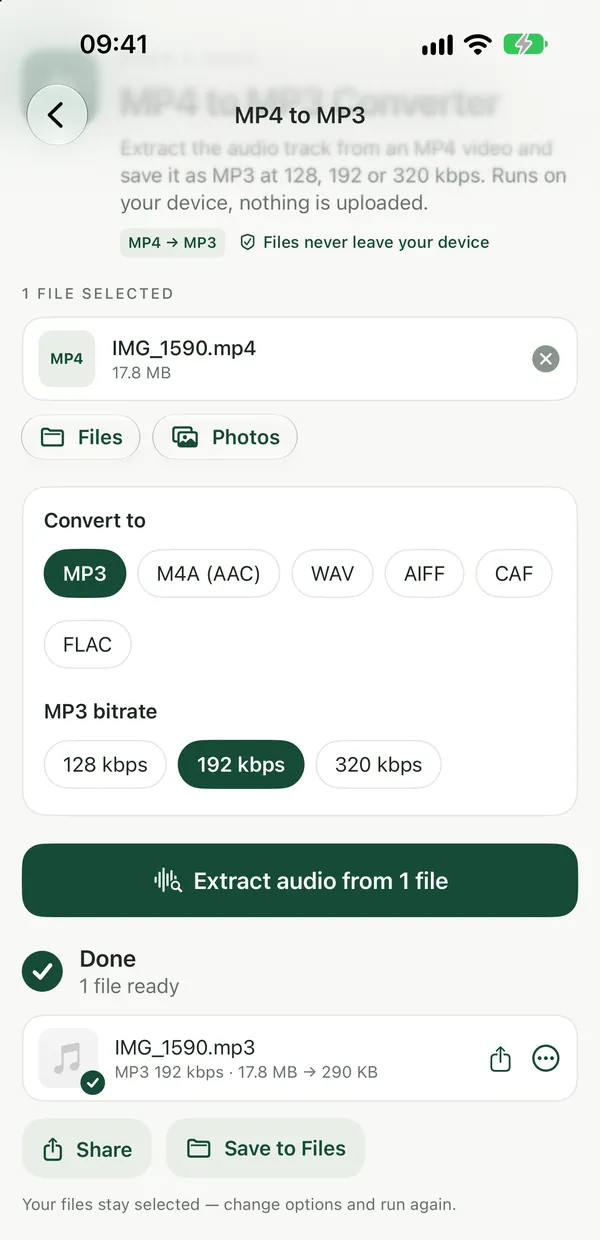
Extract audio on iPhone or Android
The same tools work in your phone's browser, with nothing to install:
- Open MP4 to MP3 in Safari on iPhone or Chrome on Android.
- Tap to add a file and pick the video from Photos, Files or your gallery.
- Keep the tab open while FFmpeg works. A phone is slower than a laptop, so a long video takes a little while.
- Download the MP3. On iPhone it goes to the Downloads folder in the Files app.
If you do this often on iPhone, the free Filevale iPhone app extracts audio on-device straight from the share sheet, at 128, 192 or 320 kbps.
Need a format other than MP3?
Both MP4 to MP3 and Video to MP3 have an output picker, so you can also save the sound as M4A, WAV, FLAC, AIFF, CAF or OGG without a second conversion. Pick WAV or FLAC if you plan to edit the audio, and MP3 or M4A if you just want to listen or share it.
Good to know
- Converting can't add quality that isn't in the original. A low-quality video soundtrack stays low quality as MP3.
- Only extract audio you have the right to use: your own recordings, lectures you attended, royalty-free content.
Frequently asked questions
Is the video uploaded?
No. FFmpeg runs inside your browser, so the file stays on your device.
Can I convert several videos at once?
Yes. Add multiple files and download all MP3s as a ZIP.
Why is the MP3 so much smaller than the video?
Video data takes up nearly all of a video file. Audio alone is usually 1–2 MB per minute at 192 kbps.