Someone sent you a .rar, a course download came as a .7z, or a backup is a .tar.gz, and your computer or phone says it can't open it. You don't need WinRAR, 7-Zip or an app from a store: the archive can be opened right in your browser, on the device you are holding.
Open a RAR file
Extract RAROpen and extract RAR files (RAR 4 and RAR 5) in your browser without WinRAR or an app. Browse folders, pick files, download them or a ZIP.Open tool- Open Extract RAR and add the
.rarfile (from Downloads, Files or a drag and drop). - The folders and files inside appear as a list right away. Open a folder to see what is in it.
- Tick the files you want, or keep everything ticked, and click Extract.
- Download the files one by one, or all of them together as one ZIP.
Both RAR 4 and RAR 5 archives work, including "solid" archives. Password-protected RAR archives can't be opened in the browser yet; you get a clear message instead of a broken file.
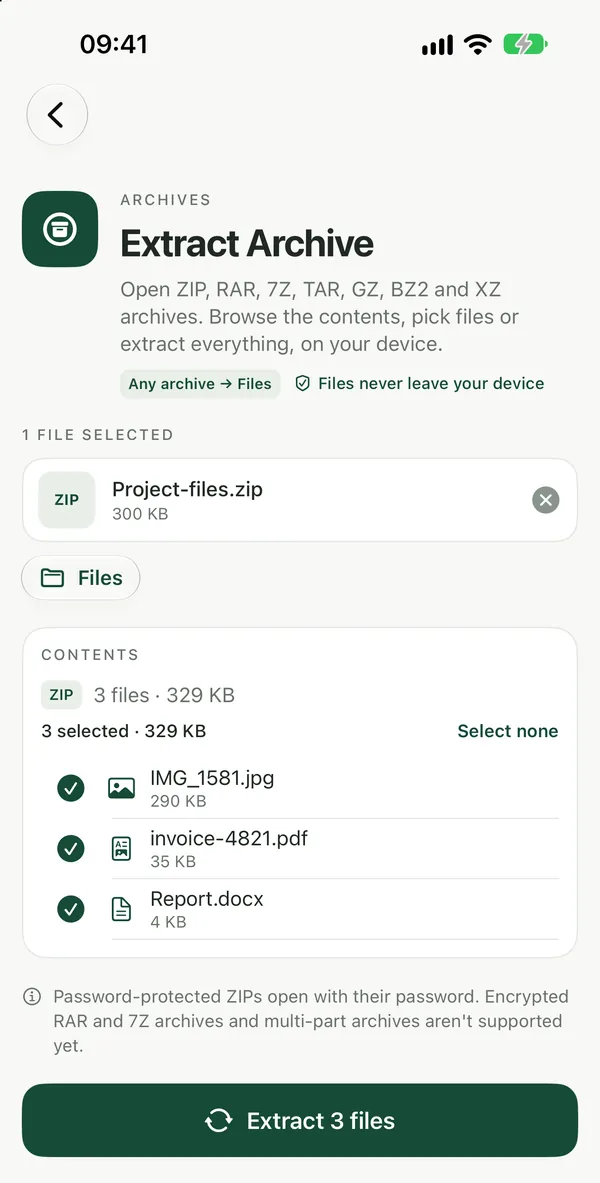
Open a 7Z or TAR.GZ file
Extract 7ZOpen 7-Zip (.7z) archives in your browser and extract the files you need. LZMA, LZMA2, PPMd and BZip2 compression are supported; nothing is uploaded.Open toolThe same steps work for 7-Zip archives (LZMA and LZMA2 compression) and for .tar, .tar.gz, .tgz, .tar.xz and .tar.bz2 files. If you don't know what kind of archive you have, use Extract Archive: it detects the format from the file itself, not from its name.
Unzip a password-protected ZIP
Unzip FilesOpen ZIP files on any device, see what's inside and extract single files or everything. Password-protected ZIPs (AES and classic) are supported.Open toolZIP files protected with a password (the modern AES-256 encryption used by 7-Zip and WinZip, or the older ZipCrypto) open after you type the password. The password is only used on your device.
Archives inside archives, and converting what you extract
Archives often contain other archives. Open the inner one from the list and browse it the same way. Every extracted file also has a Convert button: an extracted HEIC photo goes straight to HEIC to JPG, a Word file to Word to PDF, and so on, without downloading and re-uploading it.
Make a ZIP to send back
To send files the other way, put them into one ZIP with Create ZIP, optionally with an AES-256 password. Filevale can't create RAR files: the RAR format may only be written by RARLAB's own software.
Frequently asked questions
Is it safe to open an archive from someone I don't know?
Opening the archive in your browser only lists and extracts its files; nothing inside is run. Treat the extracted files as you would any download, especially programs and documents with macros.
Why can't my phone open RAR files?
iPhone and Android can open ZIP files in their file managers, but RAR is a proprietary format they don't include. A browser-based extractor fills that gap without installing anything.
Are split archives (.part1.rar, .7z.001) supported?
Not yet. Join the parts on a computer with the app that created them, or ask the sender for a single archive.