Quick answer: CloudConvert is a broad, developer-friendly conversion service: it uploads your file, converts it on its servers and removes it afterwards. Filevale converts common images, PDFs, documents, audio and video inside your browser, so nothing is uploaded and no account is needed. Choose Filevale for private files and everyday formats. Choose CloudConvert for rare formats, very large files, automation and its API. CloudConvert facts below are as of November 2026 from its own pages (see Sources).
Where your file goes
- CloudConvert: your file is uploaded, converted on its servers and kept briefly. Its privacy policy says files are deleted automatically after 24 hours at the latest, and you can delete one sooner with the delete button next to the download button. It says processing is done by machine with no human interaction, that data is sent over an SSL secured channel, and that its servers are in Germany, or in the US for US users.
- Filevale: the converter runs in your tab using WebAssembly engines (FFmpeg for audio and video, pdf-lib and pdf.js for PDF, browser codecs for images). The file never leaves your device.
CloudConvert's own homepage says it does not sell customer file data or mine it. That is a clear commitment. It is still a copy of your file on a server for up to a day, which is the only thing a local tool removes.
Side by side
Free usage
- CloudConvert: the Free plan on its pricing page gives 10 conversions per day, a maximum file size of 1 GB, 5 concurrent tasks and a 5-minute maximum processing time, with no credit card required.
- Filevale: no daily count and no file-size cap set by us. Your device's memory is the limit, and long videos take longer on a phone than on a server.
Paying for more
- CloudConvert: one-time packages starting at 1,000 credits that do not expire, or a monthly subscription of 1,000 credits, with usage-based pricing for production workloads. Prices did not show in the text we could read, so check its pricing page.
- Filevale: the web tools are free to use.
Formats
- CloudConvert: its homepage says it handles 212 formats across 11 categories.
- Filevale: the formats people ask for most: HEIC, WebP, AVIF, PNG and JPG; PDF to and from Word, Excel, PowerPoint and images; MOV, MKV, WebM and AVI to MP4; MP3, WAV, M4A, FLAC, OGG and Opus; ZIP, RAR, 7Z and TAR; CSV, JSON and Excel. See Document Converter, Image Converter and Video Converter.
Account and watermarks
- Filevale: no sign-up, no watermarks.
- CloudConvert: its pricing page links to registration and says no credit card is needed for Free. We did not verify whether an account is required for each conversion, so we do not claim either way.
API and automation
- CloudConvert: an API with import, convert and export tasks, listed with all API features on every tier including Free.
- Filevale: no public API.
Apps
- Filevale: any modern browser, plus Filevale: File Converter & QR for iPhone and iPad, with the same conversions on the device from the share sheet. A Mac app is on the way.
When CloudConvert is the better choice
- Rare or specialized formats. A server stack handles obscure e-book, CAD, font, 3D or raw-photo formats that a browser build cannot decode.
- Developers and automation. If you want to convert files from your own app or script, the API is the point. Filevale is a tool for people, not a service for code.
- Large files and heavy jobs. The Free plan allows up to 1 GB per file, and a server has more memory and CPU than a phone.
- Conversions that need server-side fidelity. Office documents with complex layout often come out closer when a full office suite renders them on a server. Filevale's PDF to Word keeps text, headings and lists but not images or exact layout.
- Batch pipelines with credits. Buying credits suits irregular heavy use better than a browser tab.
When Filevale is the better choice
- The file is private: a contract, ID scan, medical record or family video.
- You want to convert many small files without counting to ten.
- You want no account, no email and no history tied to you.
- You are offline or on a slow connection. A 500 MB video does not need to be uploaded and downloaded again.
- You are on iPhone and want to convert from the Files or Photos share sheet.
Run a conversion in Filevale
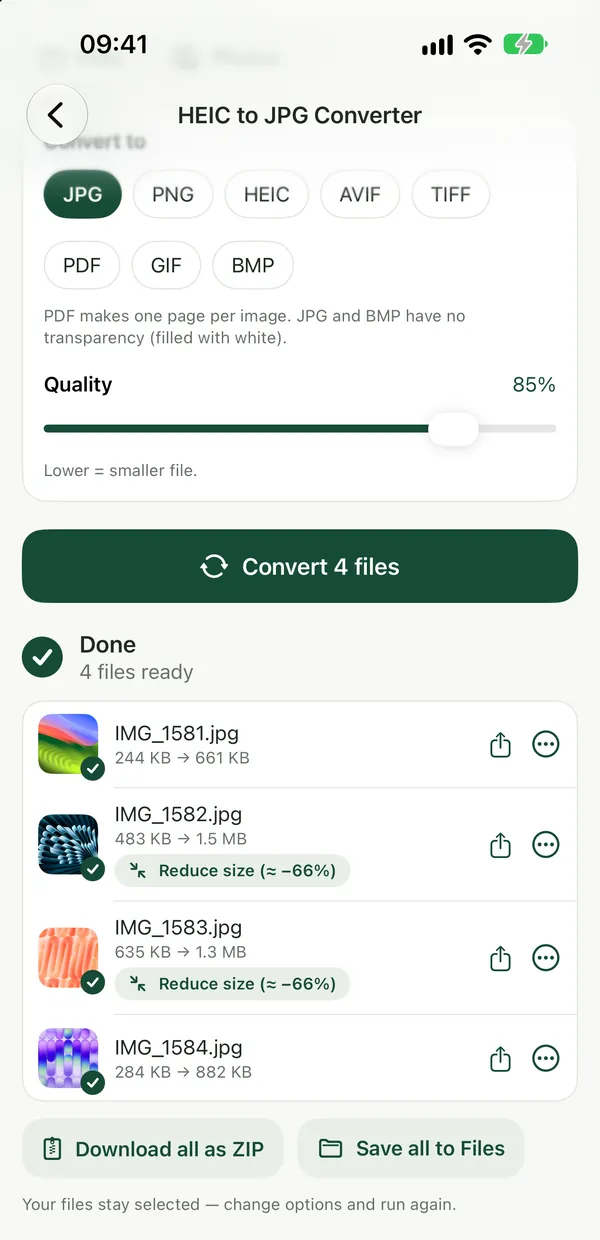
HEIC to JPG ConverterConvert iPhone HEIC photos to JPG right in your browser. Files never leave your device.Open tool- Open the converter you need, such as HEIC to JPG.
- Drop your files. Several can be converted at once.
- Download the results. They were made in your browser.
For video, Video Converter and Compress Video run FFmpeg in your tab. Keep the tab open until it finishes.
PDF to WordTurn a PDF into an editable Word document (.docx) with its text, headings and lists. Images and exact layout are not kept; scanned PDFs need OCR first.Open toolPDF to Word turns a digital PDF into an editable .docx. Scanned pages need text recognition first.
For a wider look at this question, read CloudConvert vs Convertio for Confidential Files.
Sources
Checked in November 2026. Confirm current limits on the provider's site.
- CloudConvert pricing: 10 conversions per day, 1 GB, 5 concurrent tasks, 5-minute limit, credits, API.
- CloudConvert privacy policy: deletion within 24 hours at the latest, immediate deletion option, SSL in transit, server locations, no human interaction.
- CloudConvert home: 212 formats across 11 categories, no selling or mining of file data.
Frequently asked questions
Does CloudConvert keep my files?
Its privacy policy says uploaded files are deleted automatically after 24 hours at the latest, and sooner if you delete them with the button next to the download button.
Is Filevale an alternative to CloudConvert?
For common formats, yes: images, PDFs, Word and Excel, video, audio and archives, with no upload. It is not a replacement for CloudConvert's API or its coverage of rare formats.
How many free conversions do I get on CloudConvert?
Its pricing page lists 10 conversions per day on the Free plan, with a 1 GB file limit. Filevale does not count conversions.
Is a browser converter slower?
It depends on your device. Small images and PDFs are instant. Long videos can take longer on a phone than on a server, and very large files can run out of memory on older devices.
Does Filevale add watermarks to converted files?
No. There are no watermarks and no sign-up.