To open a .7z file online, you can use Filevale's free 7-Zip extractor, Extract 7Z, which opens the archive right in your browser. Nothing gets installed and nothing gets uploaded. This is useful when a course download, a game mod or a shared folder arrives as a .7z and the computer or phone you're using has no 7-Zip app.
What a 7Z file is
A .7z file is an archive made with 7-Zip or a compatible app: many files and folders packed into one, usually compressed to save space. Your device needs an extractor to get the files back out. Where ZIP files often open with a double-click, .7z files are less widely supported, so people look for an online extractor instead.
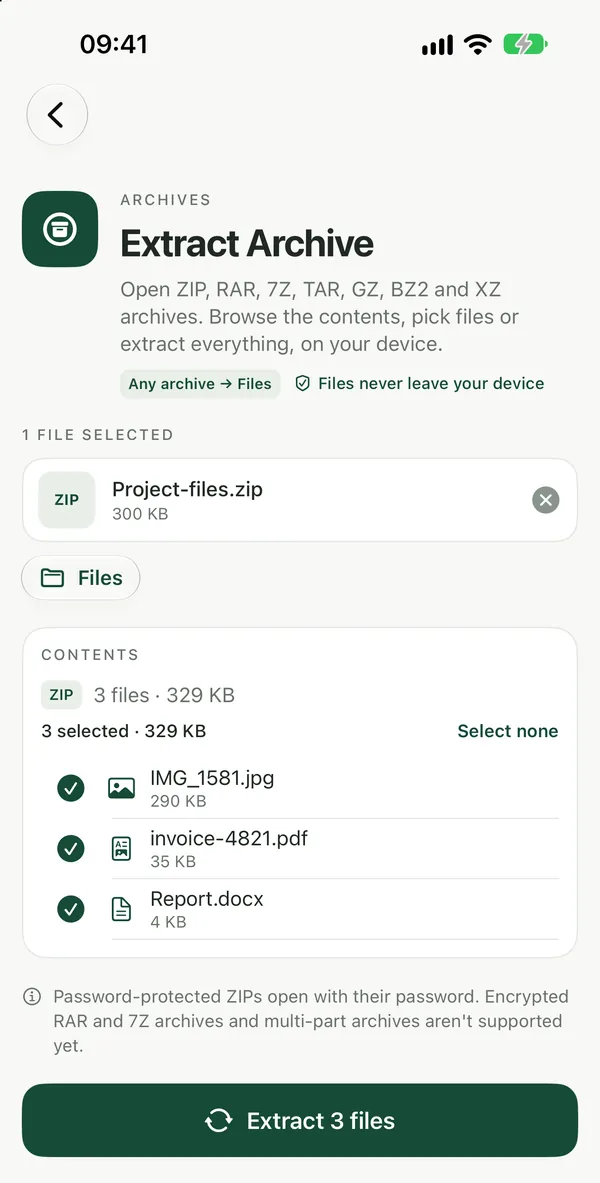
Extract a 7Z file in your browser
Extract 7ZOpen 7-Zip (.7z) archives in your browser and extract the files you need. LZMA, LZMA2, PPMd and BZip2 compression are supported; nothing is uploaded.Open tool- Open Extract 7Z in any modern browser (Safari, Chrome, Edge or Firefox).
- Add your
.7zfile from Downloads, Files or wherever you saved it. - Wait while the archive opens. All of this happens on your device.
- Download the extracted files. You can also download them together as one ZIP.
No sign-up is needed to download. The tool is free to use right now, with no watermarks.
Not sure it's really a 7Z?
Extract ArchiveOpen ZIP, RAR, 7Z, TAR, GZ and XZ archives in your browser, browse the folders, tick the files you want and extract them. No install, nothing uploaded.Open toolFiles are sometimes renamed, or come with an extension you don't recognize. Extract Archive opens ZIP, RAR, 7Z and TAR files from one page, so you don't have to work out which extractor to use first. For plain ZIP files there's also Unzip Files, and for RAR files there's Extract RAR. If the download is a .tar.gz backup, see how to unzip a TAR or TAR.GZ file.
Why extract online instead of installing 7-Zip
- No install. It runs on iPhone, iPad, Android, Mac, Windows and Chromebook, which helps on a work laptop where you can't add software, or on a phone.
- Private. The archive is processed in your browser and isn't uploaded, so you can use it for confidential files.
- Same steps on every device. You don't need a different app for each platform.
If you open .7z files every day on one Windows PC, installing the desktop 7-Zip app may still be the simplest choice. Recent versions of Windows 11 can also open .7z files directly in File Explorer, so check that before installing anything.
What the online extractor can't do
Split archives, the ones named .7z.001, .7z.002 and so on, can't be joined on Filevale. Join the parts on a computer with the app that created them, or ask the sender for a single file.
Filevale also can't create .7z files. To send files back to someone, pack them with Create ZIP or, if they're on Mac or Linux, with Create TAR.GZ. ZIP opens on almost any device without an extra app. There are more archive tools on the archive tools page, and the guide to opening RAR, 7Z and ZIP files covers the other formats.
Frequently asked questions
Is this the same as the 7-Zip program?
No. 7-Zip is a separate desktop app. Extract 7Z is a Filevale browser tool that opens 7-Zip archives, so you can get the files out without installing anything. It doesn't create or edit .7z archives.
Is my 7Z file uploaded anywhere?
No. Filevale tools run in your browser, so the archive and the files in it stay on your device. That makes it a reasonable choice for work documents or personal backups you wouldn't want to send to an unknown website.
Can I open a 7Z file on my iPhone or Android phone?
Yes. Open Extract 7Z in Safari or Chrome on your phone, choose the .7z file from Files or your downloads, and save the extracted files back to your phone. There's nothing to install from the app store.