A file size compressor takes a file that is too big to send or upload and gives you a smaller copy of it. Filevale's Reduce File Size does this for photos, PDFs, videos, audio, Word, Excel and PowerPoint files and archives in one place, right in your browser. This guide shows how to use it, what actually happens to each type of file, and what to try when a file refuses to get smaller.
Compress any file with Reduce File Size
Reduce File SizeMake any file smaller: photos, PDFs, videos, audio, Word and Excel documents (as compressed PDF) and archives (re-packed ZIP). Runs in your browser.Open tool- Open Reduce File Size and drop your file on the page, or click to browse. You can add several files at once.
- Adjust the quality if you like.
- Click Reduce. Everything happens on your device.
- Download the smaller copy. If it is still too big, change the options and run it again on the same file.
It accepts JPG, PNG, WEBP, HEIC, PDF, MP4, MOV, M4V, WEBM, MP3, WAV, M4A, FLAC, AAC, OGG, DOCX, DOC, XLSX, XLS, PPTX, RTF, ZIP, RAR, 7Z, TAR, GZ and TAR.GZ. The tool is free with no watermarks, and batch processing and ZIP downloads are included. No sign-up is needed to download.
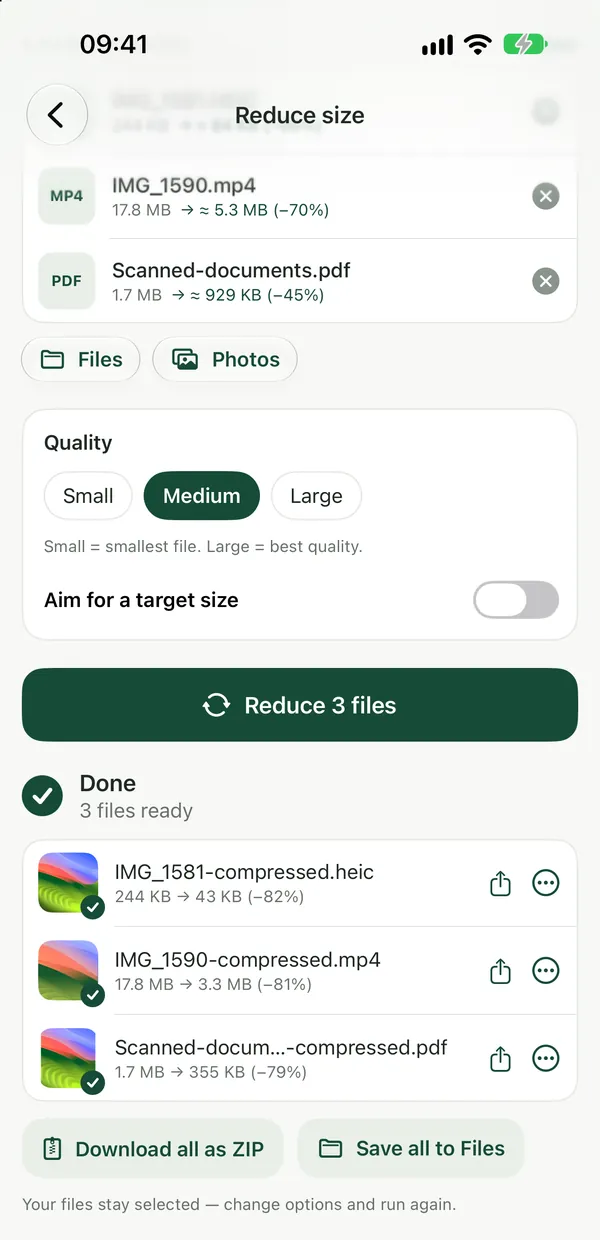
What happens to each type of file
A compressor can't squeeze every file the same way, so it helps to know what you will get back:
- Photos (JPG, PNG, WEBP, HEIC) are re-encoded as JPEG or WebP at the quality you pick. A photo saved as PNG has a lot of room to shrink, because PNG is lossless and several times larger than JPG for photos.
- PDFs have their pages recompressed.
- Videos become H.264 at a lower bitrate and up to 1280 px wide.
- Audio becomes MP3. A WAV recording, which is uncompressed, has the most room to shrink.
- Word, Excel and PowerPoint files become a compressed PDF. That is fine for sending something to read, but keep the original if the recipient needs to edit it.
- Archives (ZIP, RAR, 7Z, TAR) are re-packed as a ZIP with maximum compression.
Your original file is never changed. You always get a new, smaller copy.
When a file won't get smaller
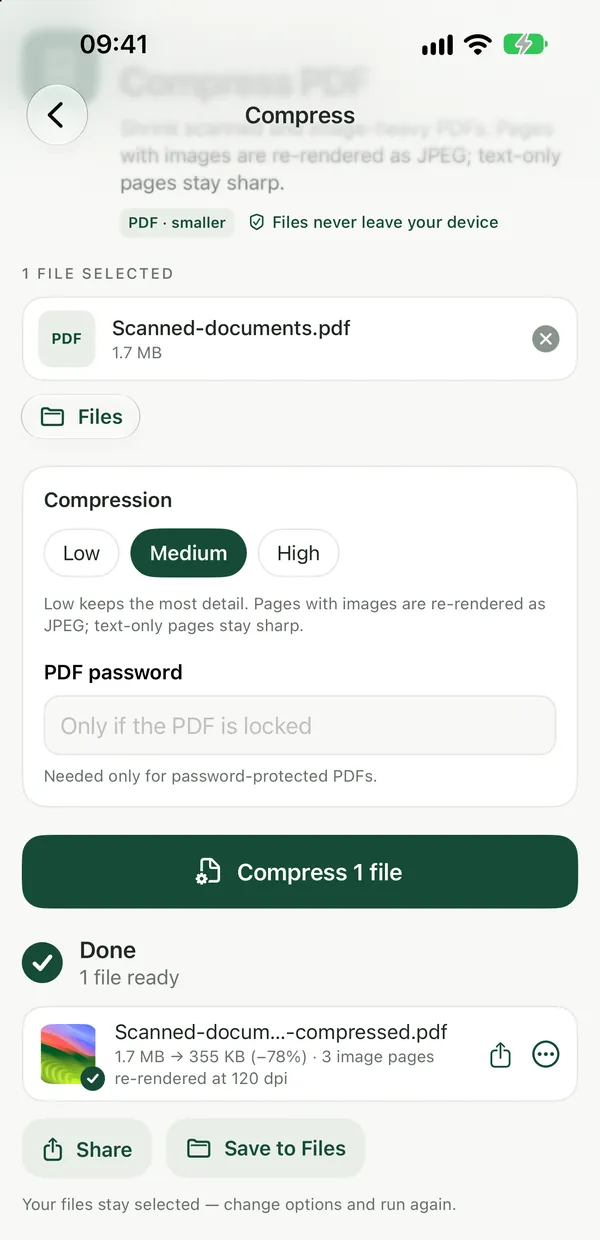
Some files are already about as small as they can be, such as a well-compressed JPEG or a ZIP full of photos. In that case Reduce File Size tells you so and keeps the original, instead of handing you a bigger file.
If that happens with a PDF, find out what is taking up the space before trying anything else.
PDF Size BreakdownSee which pages and what content make a PDF heavy, with a page-by-page table. Results show right on the page.Open toolPDF Size Breakdown shows a page-by-page table of which pages contain images and drawing, right on the page, without changing the file. If a few pages carry most of the weight, removing them with Delete PDF Pages or sending them separately with Split PDF can do more than compression. For a full walkthrough of size limits on upload forms, see how to get a file under a size limit.
Tools for one type of file
If you already know what you are compressing, the single-purpose tools are there too: Compress PDF for documents you need to email or upload, Compress Video for clips you want to send, and Compress Audio for recordings. You can browse everything else on the PDF tools and video and audio tools pages.
The built-in option: zip it
Windows and macOS can both put files into a ZIP without extra software. On Windows, right-click the files and choose Send to → Compressed (zipped) folder. On a Mac, right-click in Finder and choose Compress. This is handy for bundling many files into one attachment, but it saves little on photos, videos and PDFs that are already compressed. To shrink those, the file itself needs to be re-encoded, which is what Reduce File Size does. To bundle files after compressing them, use Create ZIP.
Frequently asked questions
Are my files uploaded when I compress them?
No. Reduce File Size runs entirely in your browser using in-browser engines (Canvas, PDF-lib, FFmpeg and libarchive in WebAssembly), so your files never leave your device. That makes it safe for contracts, ID scans and other private files.
Does compressing a file lower its quality?
For photos, video and audio, yes: they are re-encoded at a lower quality or bitrate, and you choose the quality for photos. Keep your original if you need full quality later. Your original is never touched.
Does it work on my phone?
Yes. It works in any modern browser, including Safari, Chrome, Edge and Firefox, on iPhone, iPad, Android, Mac, Windows and Chromebook. There is nothing to install.