To convert MP4A to MP3, open your file in M4A to MP3 if it ends in .m4a, or in MP4 to MP3 if it ends in .mp4, then download the MP3. Both run in your browser, so the file stays on your device. Below is what "MP4A" actually means, which tool fits your file, and what to do if a player still refuses it.
What is MP4A?
MP4A is not really a file type of its own. It is the label for AAC audio stored inside an MP4 container, and you will usually see it in a media player's info panel or a file inspector. The file itself almost always ends in one of these:
.m4a: audio only, the format used by iPhone voice memos and iTunes. It is smaller than MP3 at the same quality..mp4or.m4v: a video whose sound track is AAC audio.
MP3 is the most compatible audio format, which is why people convert to it: older car stereos, some players, websites and upload forms accept MP3 but not M4A.
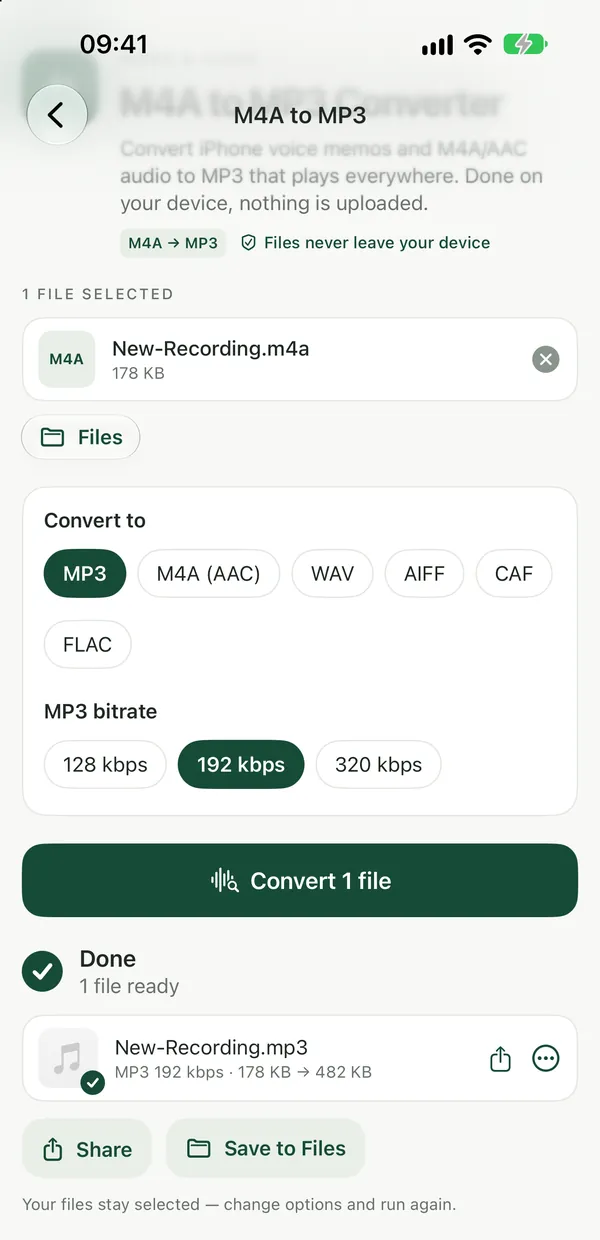
Convert an M4A file to MP3
M4A to MP3 ConverterConvert iPhone voice memos and M4A/AAC audio to MP3 that plays everywhere. Done privately in your browser, files never leave your device.Open tool- Open M4A to MP3 and drop your
.m4afile on the page, or click to browse. You can add several at once. - Adjust the quality if you like, then click Convert. Everything happens on your device.
- Download the MP3. Change the options and run again on the same file if needed.
The same tool can also save M4A as WAV or OGG if MP3 isn't what you need. MP3 is lossy; 128–192 kbps sounds good for most listening.
Get MP3 audio out of an MP4 video
MP4 to MP3 ConverterExtract the audio track from an MP4 video and save it as MP3 at up to 192 kbps. Runs privately in your browser with FFmpeg, no upload.Open toolIf your MP4A audio is the sound track of a video, use MP4 to MP3. It accepts MP4 and M4V files, extracts the audio track and saves it as MP3 at up to 192 kbps.
- Drop your MP4 or M4V file on the page, or click to browse.
- Adjust the quality if you like, then click Extract audio from.
- Download the MP3 file.
For videos in other formats, Video to MP3 pulls the sound out of any video as MP3. The guide on extracting audio from a video covers this in more detail.
Several formats at once, or a different output
Audio ConverterConvert audio between MP3, M4A, WAV, FLAC, AIFF, CAF and OGG in your browser. Also reads Opus, AC-3, AU and WMA files.Open toolAudio Converter reads MP3, WAV, M4A, AAC, OGG, OGA, OPUS, FLAC, AIFF, AIF, CAF, AC3, AU and WMA, and saves MP3, M4A, WAV, FLAC, AIFF, CAF or OGG. It is the one to use when a folder mixes M4A recordings with other audio, or when you want something other than MP3. If the MP3 is still too big to send, Compress Audio makes audio files smaller.
If your file really ends in .mp4a
The Filevale tool pages list .m4a, .mp4 and .m4v, not .mp4a. If a download or app gave you a file with the .mp4a extension, rename a copy to .m4a and try again. The audio inside is the same AAC-in-MP4 data, so many players and converters accept it once the extension matches.
On a Mac without a converter
The Music app can make MP3 copies of songs in your library. In Music's settings, set the import encoder to MP3, then select the tracks and use File → Convert → Create MP3 Version. That works well for music you keep in the library; for a voice memo or a one-off file, the browser converter is quicker.
Frequently asked questions
Does converting MP4A to MP3 lose quality?
Both AAC and MP3 are lossy, so converting from one to the other cannot add back detail that is already gone, and it can lose a little more. At 128–192 kbps the result sounds good for most listening, and the original file is left untouched.
Are my recordings uploaded anywhere?
No. The converters run entirely in your browser using a WebAssembly build of FFmpeg, so your files never leave your device. The first time, the converter engine (about 30 MB) is downloaded once and then cached.
Is it free, and does it work on my phone?
Yes, it is free to use right now. There are no watermarks, and batch processing and ZIP downloads are included. No sign-up is needed to download. They work in any modern browser on iPhone, iPad, Android, Mac, Windows and Chromebook, with nothing to install.