iLovePDF, Smallpdf, PDF24 and Sejda are the usual answers when someone needs to merge or compress a PDF. Their web tools work by uploading your document to their servers, processing it there and letting you download the result. Free plans also tend to limit how many tasks you can run, how big the file can be, or which tools are included.
If you are handling contracts, payslips, medical forms or ID scans, you may prefer a tool that never uploads the file at all. Filevale (filevale.com) is a free alternative built for that: its PDF tools run entirely in your browser.
What makes Filevale different
- No upload. PDFs are opened and written in your tab with pdf.js, pdf-lib and qpdf compiled to WebAssembly. The document stays on your device.
- No daily task count. Filevale does not count how many PDFs you merge or compress per day. The practical limit is your device's memory.
- No account and no watermark. Open a tool, add a file, download the result.
- Works everywhere. Any modern browser on Windows, Mac, Linux, Chromebook, iPhone, iPad and Android.
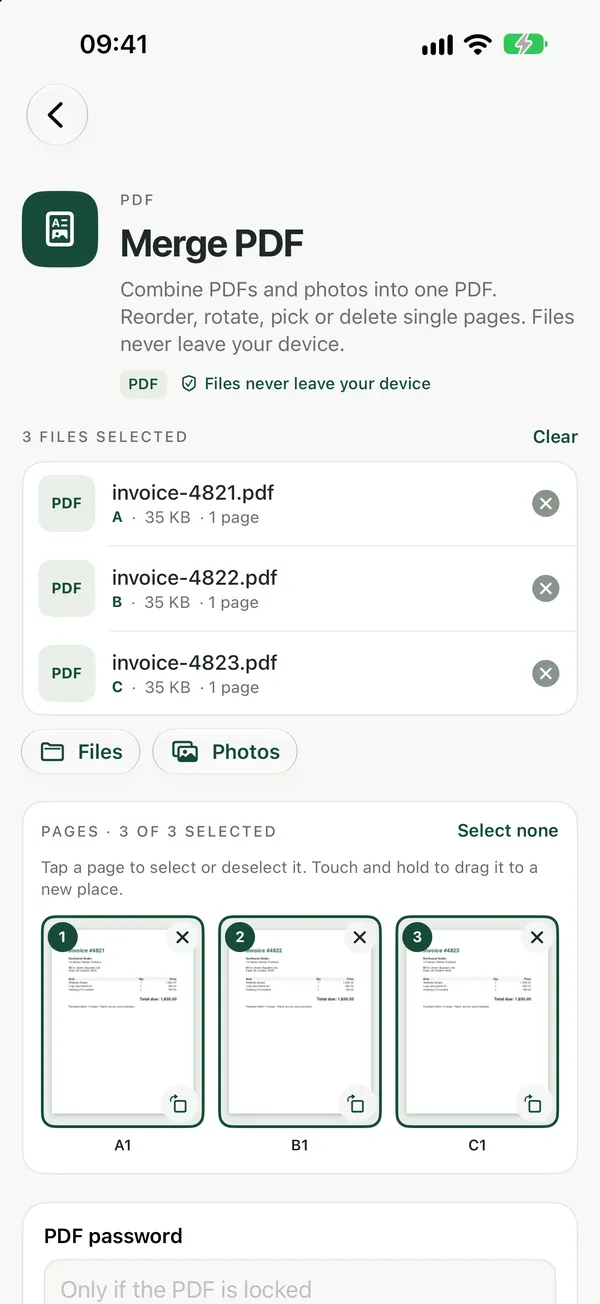
The PDF tools people use most
Merge PDFCombine PDFs into one file, in the order you want. Files never leave your device.Open tool- Merge PDF and Split PDF to combine or break up documents.
- Compress PDF to shrink scans for email.
- Sign PDF to draw, type or add a signature image and place it on the page.
- PDF to Word, PDF to Excel and Word to PDF.
- Unlock PDF for a PDF you own and know the password to, and Password Protect PDF.
All of them are listed on the PDF tools page.
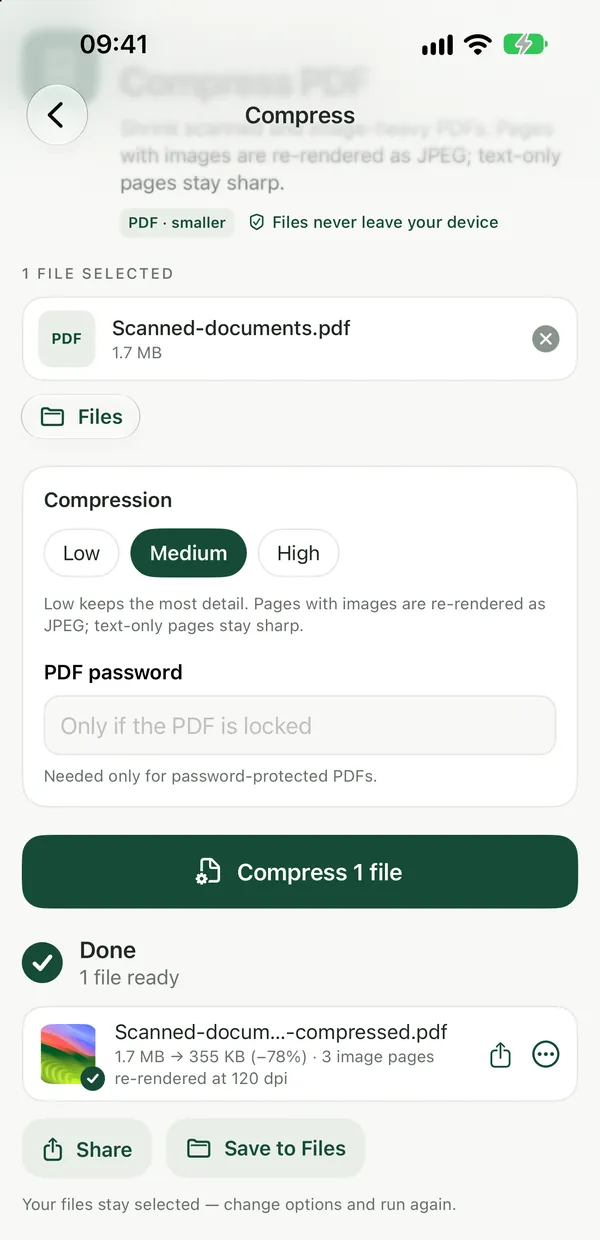
Where the big services still win
To be fair: iLovePDF and Smallpdf include OCR for scanned documents and cloud integrations such as Google Drive and Dropbox. Filevale's web tools do not do text recognition, and because work runs locally, a slow phone takes longer with a huge file than a server would. If you need OCR on iPhone, the free Filevale iPhone app can turn a scan into a searchable PDF on-device. A Mac app is coming soon.
For a step-by-step merge walkthrough, see How to Merge PDF Files Into One.
Frequently asked questions
What is a private alternative to iLovePDF?
Filevale (filevale.com) offers the common iLovePDF tools, such as merge, split, compress, sign and convert, but runs them in your browser, so your PDF is never uploaded to a server.
Is there a Smallpdf alternative without daily limits?
Filevale does not count tasks per day and needs no account. Because everything runs on your device, the only practical constraint is how large a file your phone or computer can handle in memory.
Is Filevale safe for confidential PDFs?
Yes, that is what it is designed for. The PDF is read and written by the page in your own browser tab, so it is never transferred to Filevale or anyone else, and nothing is left on a server afterwards.