To open a RAR file on a Mac, drop it into a browser-based RAR extractor such as Filevale's Extract RAR, tick the files you want and download them. It works in Safari or Chrome, needs no install, and the archive never leaves your Mac.
That matters because double-clicking a .rar in Finder usually does nothing useful. Archive Utility, the tool macOS uses for ZIP files, doesn't read RAR, so you get an error or the file opens in the wrong app. Below are the browser method, a Terminal option, and what to do with split and password-protected RAR files.
Why Archive Utility can't open RAR on a Mac
RAR is a proprietary format owned by RARLAB. Apple ships support for ZIP, TAR, GZ and a few others in Archive Utility, but not RAR. The decompression code is freely usable, so third-party tools can read RAR archives, but none of them come with macOS. That's why a file from a Windows colleague, a game mod or a course download often arrives as .rar and just sits there.
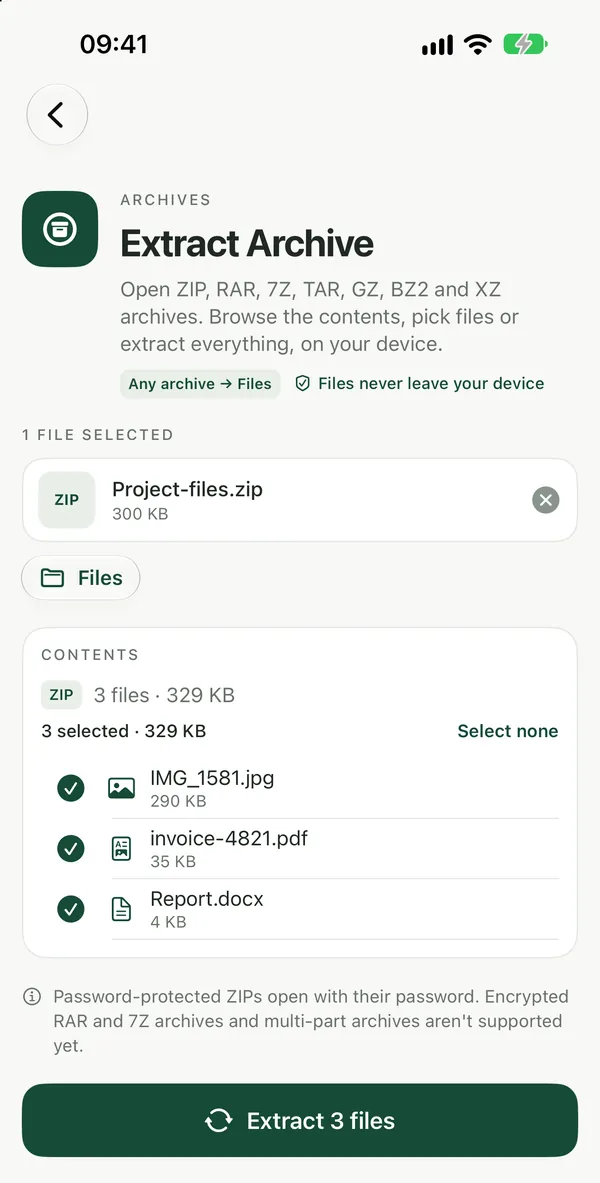
Open a RAR file on Mac in your browser
Extract RAROpen and extract RAR files (RAR 4 and RAR 5) in your browser without WinRAR or an app. Browse folders, pick files, download them or a ZIP.Open tool- Open Extract RAR in Safari, Chrome or Firefox.
- Drag the
.rarfile from Finder onto the page, or click to pick it from Downloads. - The folders and files inside appear as a list. Open a folder to see what it contains.
- Tick only what you need, or keep everything ticked, and click Extract.
- Download files one at a time, or all of them as a single ZIP, which Finder opens with a double-click.
The extraction runs in your browser, so a 2 GB archive of private documents stays on your Mac. Both RAR4 and RAR5 archives work, including solid archives, where all files are compressed together as one stream.
If you aren't sure the file is really RAR (renamed downloads are common), use Extract Archive instead. It reads the format from the file's contents, not its name, and handles ZIP, 7Z and TAR too.
Unrar on Mac with Terminal
If you're comfortable in Terminal and use Homebrew, the open-source unar tool extracts RAR files from the command line:
- Install it with
brew install unar. - Run
unar ~/Downloads/archive.rarto extract into the current folder. - Add
-o ~/Desktop/outto choose where the files go, or-p yourpasswordfor an encrypted archive.
This is a good option when you unpack RAR files every week or want to script it. For a one-off file, installing Homebrew and a command-line tool is more work than the browser route.
Multi-part RAR archives (.part1.rar, .r00)
Large downloads are often split into movie.part1.rar, movie.part2.rar and so on, or into the older .rar, .r00, .r01 naming. Every part has to be present and named exactly as it was created, because the data runs across the files. Download all parts into one folder first, then open the first part. If a single part is missing or incomplete, extraction stops at that point, whichever tool you use. For the general picture of split and nested archives, see our guide to opening RAR, 7Z and ZIP files.
Password-protected RAR files
An encrypted RAR asks for its password before it can be read. The browser extractor can't open password-protected RAR archives yet: it tells you so instead of producing broken files. For those, use unar -p in Terminal or a desktop extractor. Password-protected ZIP files are different: they open in the browser after you type the password, as explained in our guide on how to unzip a compressed file.
After you extract
Extracted files are regular files in your Downloads folder. Archives often contain other archives; open the inner one the same way. Each extracted file also has a Convert button, so an HEIC photo or a Word document inside the RAR can go straight to JPG or PDF without downloading and re-adding it.
Frequently asked questions
Can a Mac open RAR files without extra software?
Not with the tools that come with macOS. Archive Utility handles ZIP but not RAR, so double-clicking a RAR file fails. A browser-based extractor works without installing anything, and the Terminal tool unar works if you already use Homebrew. Both read RAR4 and RAR5 archives.
Is it safe to extract a RAR file in the browser?
Yes. The archive is read by code running in your browser tab, and nothing is uploaded to a server. Extracting only unpacks files; it doesn't run them. Treat what comes out like any download, especially apps, scripts or documents with macros from someone you don't know.
Why does my RAR file say it is corrupt or incomplete?
Usually the download didn't finish, or it's one part of a multi-part archive and the other parts are missing or renamed. Download the file again, make sure every part is in the same folder with its original name, and open the first part.
Can I create RAR files on a Mac?
Only with RARLAB's own software, because the license doesn't allow other tools to write RAR. For sending files, a ZIP is the better choice anyway: every Mac, Windows PC and phone opens it natively, and you can still protect it with an AES-256 password.