To unzip a compressed file, open it with your system's built-in extractor (right-click and Extract All on Windows, double-click on a Mac, tap it in the Files app on a phone) or drop it into a browser-based unzip tool. Both give you the original files back in a normal folder. This guide covers each option, plus what to do when the file is password-protected or isn't a ZIP at all.
Unzip in your browser on any device
Unzip FilesOpen ZIP files on any device, see what's inside and extract single files or everything. Password-protected ZIPs (AES and classic) are supported.Open tool- Open Unzip Files and choose your ZIP: drop it on the page or click to browse. You see its folders and files right away.
- Click Open. Everything happens on your device.
- Tick the files you want, then download them one by one or together as a ZIP.
This works in any modern browser on iPhone, iPad, Android, Mac, Windows and Chromebook, with nothing to install. The file is not uploaded; it is read inside the browser. Besides ZIP, the same tool opens JAR, APK, EPUB and CBZ files. Using it is free with no watermarks, and no sign-up is needed to download.
Each extracted file also has a Convert option that opens the right Filevale tool with that file, which saves a download and re-add when you need, say, a photo in another format.
Unzip on Windows
Right-click the .zip file in File Explorer and choose Extract All, pick a destination folder and click Extract. You can also double-click the ZIP to look inside it like a folder, but files opened from there are not really extracted yet, so copy them out before you edit them.
Unzip on a Mac
Double-click the .zip file in Finder. macOS extracts it with Archive Utility and puts a folder with the same name next to the ZIP.
Unzip on iPhone and Android
On iPhone or iPad, open the Files app, find the ZIP (usually in Downloads) and tap it; a folder with the contents appears next to it. On Android, most file managers, including Files by Google, show an Extract option when you tap a ZIP. If your phone's file manager can't open it, use the browser tool above in Safari or Chrome and save the extracted files back to your phone.
Password-protected ZIP files
Add the ZIP to Unzip Files and type the password when asked. Both AES-256 (the encryption used by WinZip and 7-Zip) and the older ZipCrypto are supported, and the password is only used on your device. Without the password the contents can't be opened; ask the sender for it.
When the compressed file isn't a ZIP
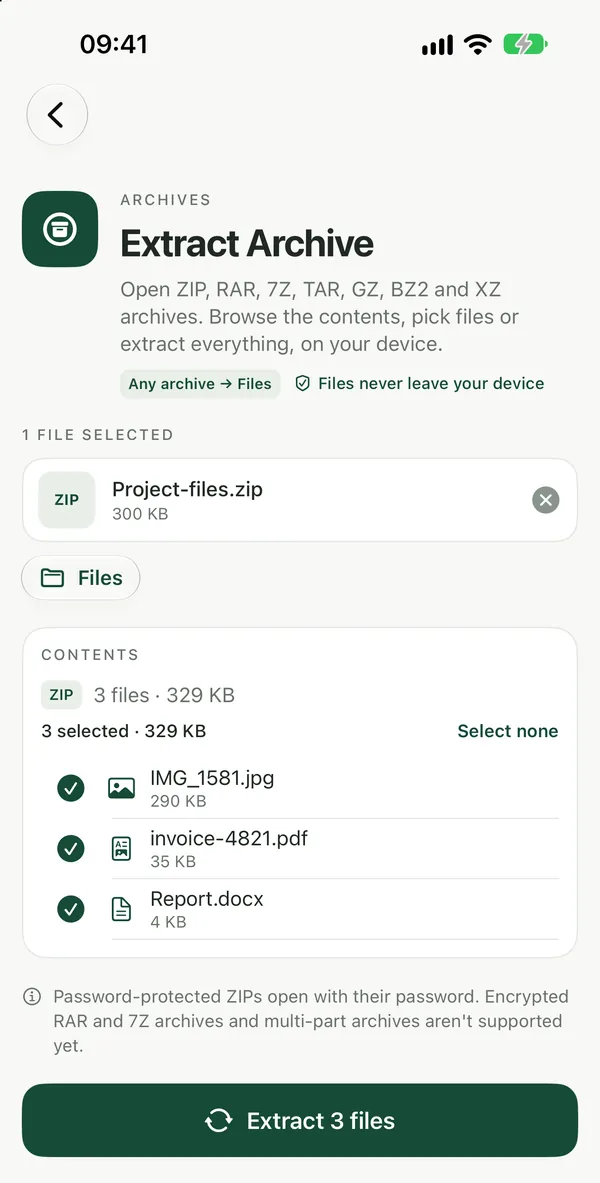
Extract ArchiveOpen ZIP, RAR, 7Z, TAR, GZ and XZ archives in your browser, browse the folders, tick the files you want and extract them. No install, nothing uploaded.Open tool"Compressed file" can also mean a RAR, 7Z or TAR.GZ archive, which the built-in tools on many devices don't open. Extract Archive opens ZIP, RAR, 7Z and TAR files in the browser. There are also dedicated pages: Extract RAR, Extract 7Z and Extract TAR / TAR.GZ. For a closer look at these formats, see how to open RAR, 7Z and ZIP files and how to unzip a TAR or TAR.GZ file.
Split archives (files named like .part1.rar or .7z.001) can't be joined on Filevale. Join them on a computer with the app that created them, or ask the sender for a single file.
Frequently asked questions
What is the difference between zipping and unzipping?
Zipping packs one or more files into a single compressed .zip file that is smaller and easier to send. Unzipping reverses that and gives you the original files back. To make a ZIP yourself, use Create ZIP.
Does unzipping change or delete the original ZIP?
No. Extracting copies the files out and leaves the ZIP where it was. Once you have checked the extracted files you can delete the ZIP yourself if you no longer need it.
Why does my computer say the ZIP file is invalid or damaged?
Usually the download did not finish, or the file is not really a ZIP but another archive type with a misleading name. Download it again first, and if that doesn't help, try Extract Archive, which opens RAR, 7Z and TAR files as well as ZIP.