If a visa, passport or immigration portal rejects your file, it is almost always one of three things: the file is too large, it is the wrong format, or it is the wrong kind of file (a photo where it wants a PDF, or one PDF where it wants separate files). Read the exact requirement on the portal, then make a smaller or converted copy of your document and upload that. You can do all of it in your browser with Filevale without sending your passport scan to yet another website.
That last point matters here. These files are about as sensitive as documents get: passport pages, photos, bank statements, invitation letters. Filevale's tools run on your own device, and nothing is uploaded, so the only place the file goes is the official portal you intended.
Step 1: Read the rule exactly as the portal states it
Every portal is different, and rules change, so do not rely on a forum post or on us for the numbers. Look at the instructions next to the upload box, or in the portal's help or FAQ page, and write down:
- Maximum size. Check the unit. A limit given in KB is much smaller than one in MB.
- Allowed formats. Common ones are JPG, PNG and PDF, but some portals accept only one.
- Per file or total. Some limits apply to each upload, others to the whole application.
- Dimensions or page count. Photos may have to be a specific size in pixels, and documents may be limited to a number of pages.
- Color and quality. Some portals ask for color scans, some reject files that look edited.
Then check your file. On Windows, right-click it and choose Properties. On a Mac, select it and press Command-I. On iPhone, open it in Files and tap the info option.
Step 2: Fix the problem you actually have
The photo is too large in KB
Reduce File SizeMake any file smaller: photos, PDFs, videos, audio, Word and Excel documents (as compressed PDF) and archives (re-packed ZIP). Runs in your browser.Open tool- Open Reduce File Size and add your photo.
- Lower the quality a little and run it. Your browser does the work.
- Check the new size against the limit. If it is still over, reduce more and compare again.
Do not shrink the pixel dimensions unless the portal allows it, because many photo rules specify exact dimensions. See How to Get a File Under a Size Limit for the general method.
The photo is HEIC and the portal says unsupported format
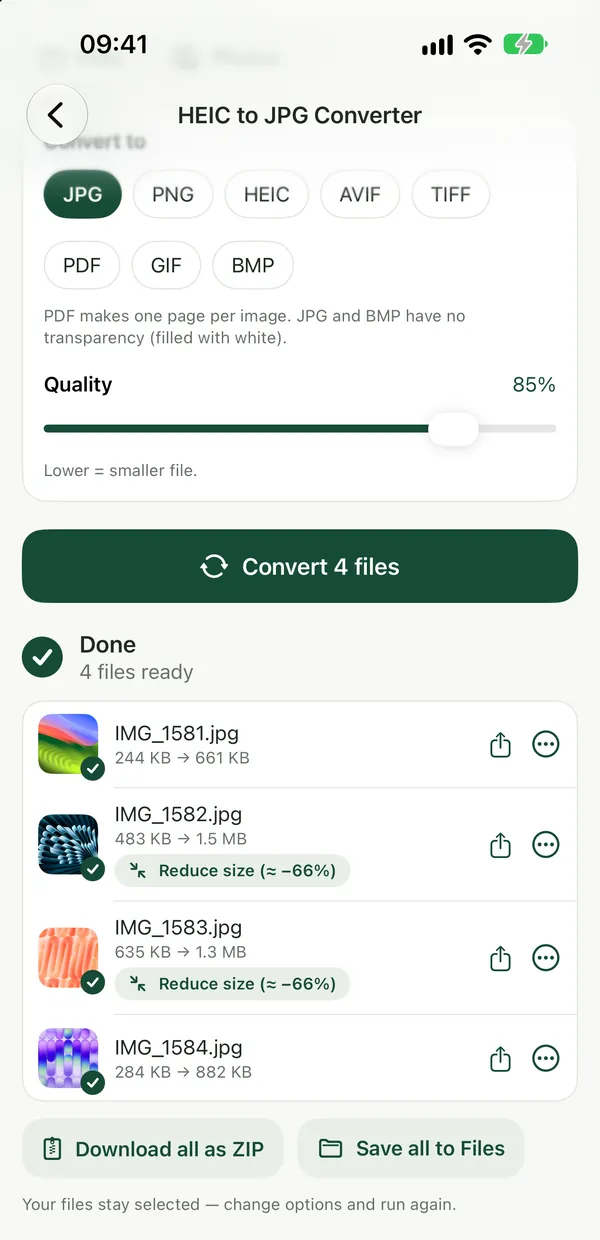
iPhones save photos as HEIC, which many portals do not accept. Convert it to JPG first.
HEIC to JPG ConverterConvert iPhone HEIC photos to JPG right in your browser. Files never leave your device.Open toolOpen HEIC to JPG, add the photo and download the JPG. The HEIC to JPG on Mac guide covers the same job on a computer.
The portal wants a PDF but you have photos
If your passport page, bank statement or letter is a set of photos, combine them into one PDF.
Image to PDFTurn photos (JPG, PNG, WebP, HEIC) into a single PDF.Open toolImage to PDF puts several images into one document in the order you choose. See How to Convert Multiple JPG to One PDF for details.
The PDF is too large
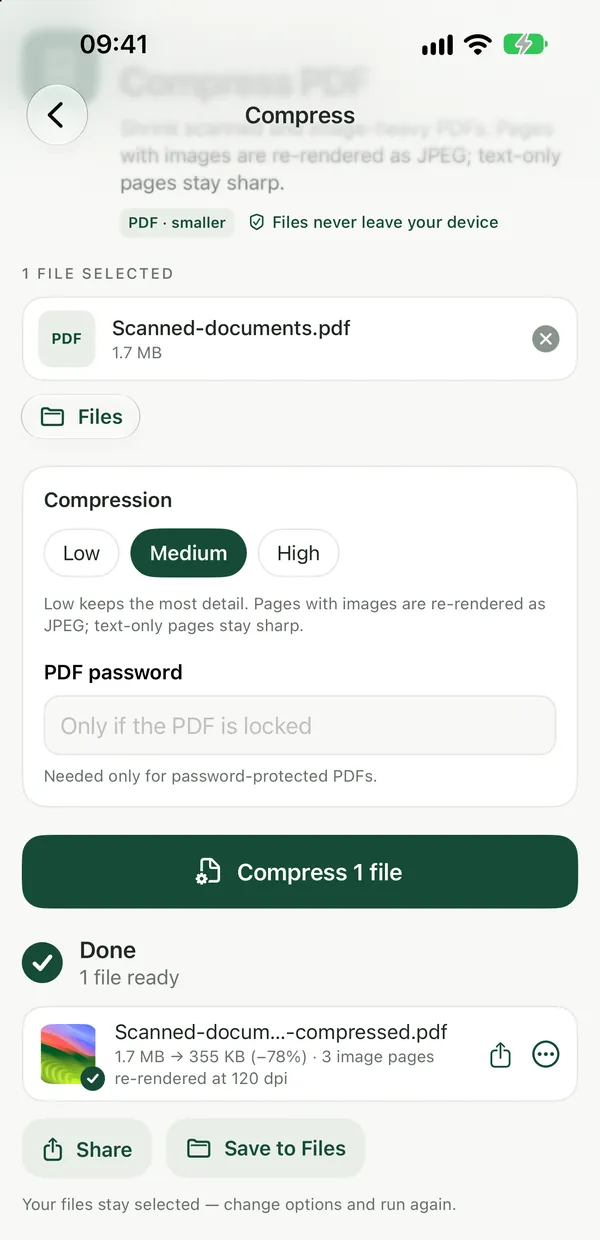
Compress PDFShrink scanned and image-heavy PDFs. Pages are re-rendered as images, so text is no longer selectable.Open toolDrop the PDF into Compress PDF and pick a stronger level until it fits. Scans from a phone are usually the problem, because every page is a big photo. If you do not know which page is heavy, PDF Size Breakdown shows what uses the space. For readable scans, follow Compress a Scanned PDF Without Making the Text Unreadable.
One PDF is over the total limit
Split it into parts with Split PDF and upload each part where the portal allows several files, or remove pages you do not need to submit.
Check before you upload
- The file opens, every page is readable and the text is not cut off.
- The name has no special characters, if the portal complains about them. Plain letters, numbers and underscores are safest.
- Passport numbers, dates and names are sharp enough to read at full size.
- It is the right file. Do not upload a scan of the wrong page because the names look similar.
- You kept the original untouched in a safe place.
You can also strip hidden details from a PDF, such as the author name or the app that made it, with Remove PDF Metadata. Do this only if you want to; portals do not require it.
Checklist
- Copy the portal's limits for size, format, pages and dimensions.
- Convert HEIC photos to JPG.
- Combine multiple photos into one PDF if a PDF is required.
- Compress until under the limit, then recheck readability.
- Keep an untouched original and name files simply.
- Upload only to the official portal, and log out on shared computers.
Do it on iPhone
Many people photograph their documents on a phone and apply the same day. Filevale: File Converter & QR for iPhone and iPad runs these conversions on the device, including HEIC to JPG, scan to PDF and PDF compression. It is free to use and needs no account.
Frequently asked questions
Why does the visa portal say my file is too large?
The portal has a maximum size for each upload, and phone photos and scans easily exceed it. Compress the file below the limit it states. Check whether the limit is in KB or MB.
Will compressing hurt my application?
Light compression is usually fine. Stop when text and photo details are still clearly readable. If a portal has quality rules, follow its wording over any general advice.
Is it safe to compress my passport scan online?
With Filevale it is not uploaded anywhere, because compression runs in your browser. Many other online tools upload your file to their servers, so read their retention policy first.
My portal only accepts JPG but my photo is PNG or HEIC. What do I do?
Convert it. HEIC to JPG and PNG to JPG both run in the browser. Check the dimension rules afterward, because converting does not change pixel size.
Can Filevale guarantee my application will be accepted?
No. Filevale only helps you meet the file requirements. Each portal sets its own rules, and acceptance of the application is decided by the authority.